🎯 Here are the steps:
1️⃣ Log in to your Leetchi account and select the relevant money pot;
2️⃣ You will then go directly to your money pot management page. On the left-hand side, click on Use funds.
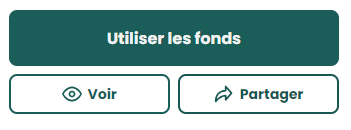
📱 Mobile version: The button is at the bottom of the page.
3️⃣ Select the Bank transfer option;
4️⃣ Now enter the amount you wish to transfer;
👀 You will see below, in a pink box, the amount of management fees, as well as the amount that will actually be transferred.
5️⃣ Click on Add a bank account;
| 💡 If you have already saved a bank account, you can select it directly. |
6️⃣ If you ad a new bank account, choose the option that suits you:
- My account
- Another person
- A company
- An association
7️⃣ It is time to enter the bank details, namely:
- The account holder's first name, surname, and address
- The bank details (IBAN)
- The account label
🏢 For a transfer to a company or association: you will need to provide the name of the company/association as well as its address.
8️⃣ Click on Continue and check one last time the information you have entered regarding the IBAN. Then click on Confirm the bank account;
9️⃣ You will then be redirected to a two-factor authentication page in order to confirm your identity (more information on this here and there).
🔟 Once you have confirmed your identity, you will arrive on the Confirm your spending page. Here, you can close the money pot if you no longer wish to receive new contributions after making your transfer.
You can also add a message to thank your generous donors. Then click on Validate;
🚀 To go further:
➡️ Our fees 🎞️
➡️ Average transfer confirmation time
➡️ Account maintenance fees